

🚧 Nerd alert: This post gets into CLIs, MCP servers, and markdown files. If you just use Claude or ChatGPT on the web and your eyes glaze over at “API,” that’s fine. You should still understand how AI memory works and what these companies are doing with your conversations. Simon Willison’s explainer is the off-ramp you’re looking for. Go read that, come back when you’re ready to void the warranty.
Every conversation with Claude starts the same way. I explain who I am. I describe my communication style. I remind it about my current projects. Then we get to work, and by the end of the session, I wonder: will any of this context carry forward?
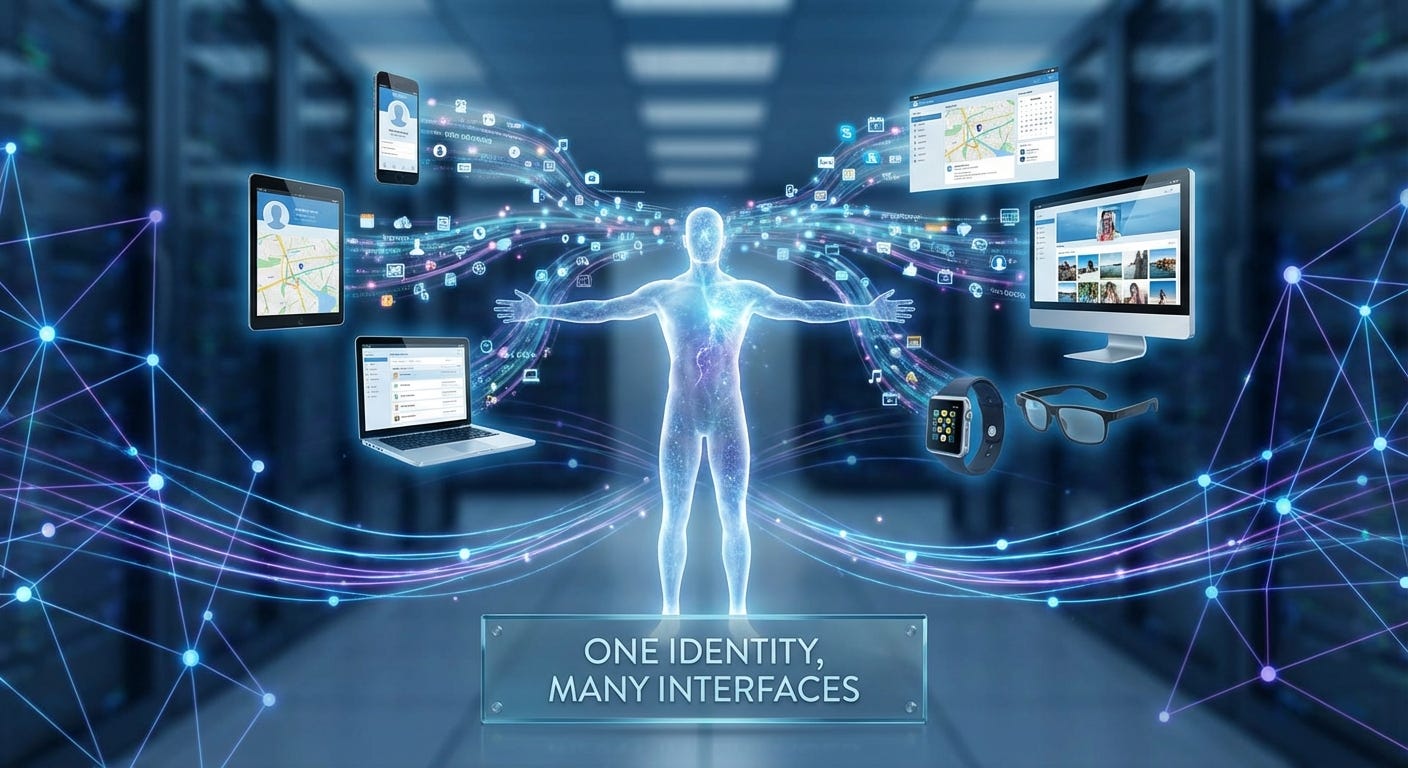
Claude.ai has memory now, and it’s genuinely useful. You can view and edit what Claude remembers, export your data, even import memories from ChatGPT. It synthesizes your conversations into key insights and updates within 24 hours.
But Claude.ai memory doesn’t help me in Claude Code. Or when I’m using the API.
Three interfaces, three separate context systems, no portability between them.
So I built Continuum: a CLI tool that gives me a single source of truth for my context across all Claude interfaces. My identity, voice, working context, and memories live in markdown files on my machine. I can export them anywhere. I can use them with any LLM.
Here’s what I learned building it.
The Problem With Fragmented Context
When I work with a human colleague, they accumulate context about me over time. They know I prefer direct feedback. They know I care about shipping over perfecting. They know my current priorities and constraints.
This shared context makes collaboration efficient.
AI assistants are getting better at memory. Claude.ai’s implementation is transparent (you can see when it searches past conversations) and user-controlled (you own the data, you can edit it). Simon Willison has a good comparison of how Claude and ChatGPT approach memory differently.
The gap isn’t memory within a single interface. It’s portability across interfaces.
Claude Code has CLAUDE.md files. They’re plain text, version controlled, human editable. But they’re project-scoped. My identity and communication style aren’t project-specific. They shouldn’t live in fifty different repositories.
The API has no built-in memory at all. You bring your own context in the system prompt.
I wanted one context system that works everywhere: Claude.ai, Claude Code, the API, and any future interface or provider.
What I Built
Continuum manages four types of context:
Identity: Who I am. My role, background, values, key relationships. This changes rarely, maybe once a year.
Voice: How I communicate. My style guide, vocabulary, structural patterns. This changes occasionally, maybe every few months.
Context: What I’m working on. Current projects, this week’s priorities, active decisions. This changes weekly.
Memory: What I’ve learned. Decisions made, lessons learned, facts discovered, preferences established. This accumulates over time.
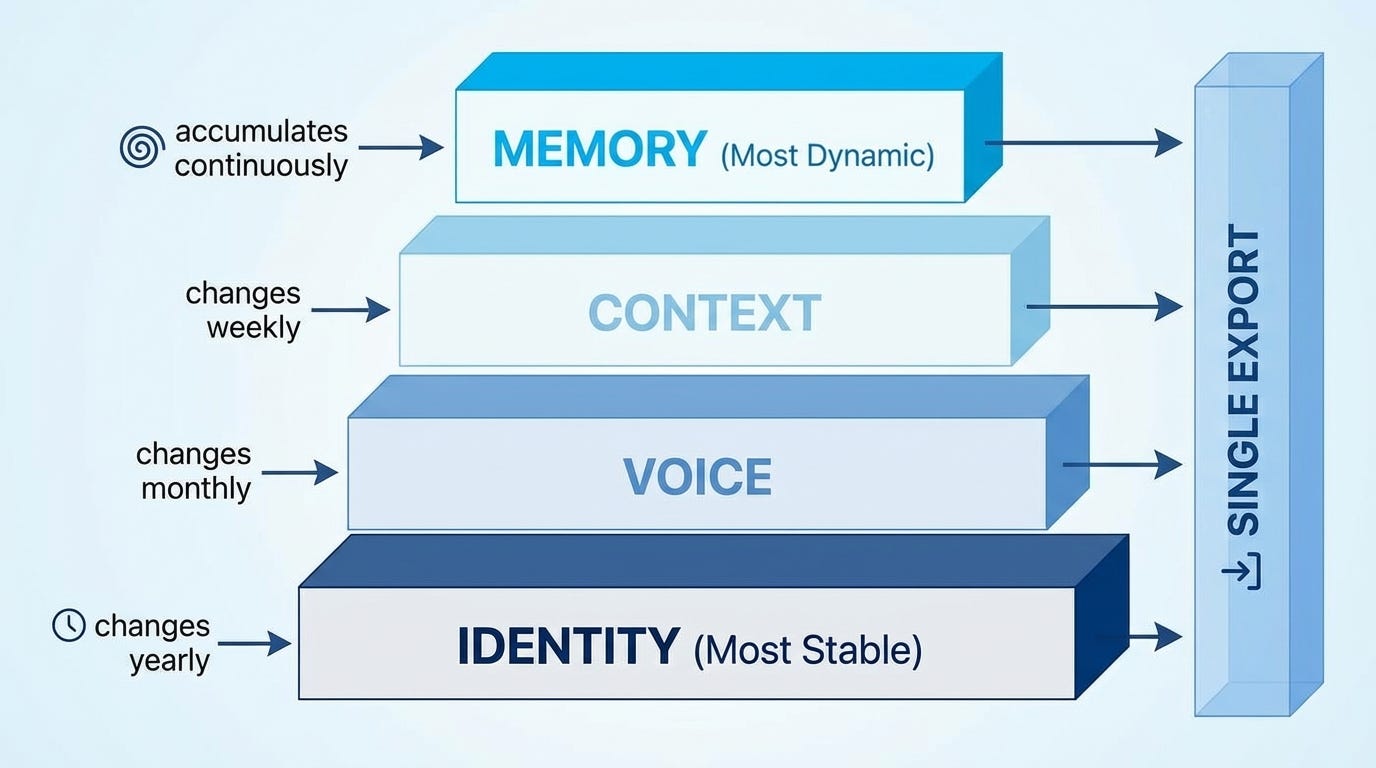
Each lives in a separate markdown file in ~/.continuum/. I edit them with any text editor. I version control them with git. I own them completely.
The CLI handles the mechanics:
continuum init                # Set up the directory structure
continuum edit voice          # Open voice.md in my editor
continuum remember “Decided to use Postgres over SQLite in project”
continuum status              # See what’s fresh and what’s stale
continuum export              # Generate a merged context file
The export command produces a single markdown file that merges everything together. I can copy it into a Claude.ai project, include it in a Claude Code CLAUDE.md, or load it into an API system prompt.
Project Overlays
Global context isn’t enough. Different projects have different tech stacks, different team members, different conventions. I don’t want to explain that Project A uses React while Project B uses Vue in every conversation.
Continuum supports project-specific context overlays. Run continuum init --project in any repository, and it creates a .continuum/ directory with project-specific context and memory files.
When you export, the project context merges with your global context automatically. Global identity and voice stay consistent. Project context and memories get layered on top. The export shows everything Claude needs to know.
The MCP Server
Export files work, but they require manual copy-paste. I wanted Claude.ai to read my context directly, in real-time.
Anthropic’s Model Context Protocol (MCP) makes this possible. MCP lets you expose tools and resources to Claude through a standard protocol. I built an MCP server that exposes my Continuum context.
The server runs on my Mac and exposes seven tools:
get_context: Returns everything merged togetherget_identity: Just my identityget_voice: Just my voice/style guideget_current_context: What I’m working onget_memories: Search my memories by category or keywordremember: Save a new memory from our conversationget_status: Check what’s fresh and what needs updating
For Claude.ai access, I expose the server through Tailscale Funnel. This gives me a secure HTTPS endpoint that Claude.ai can connect to as a custom connector. No public internet exposure, no complex authentication, just my private network with a secure tunnel.
I start a Claude.ai conversation, and Claude can pull my full context with a single tool call. When we make a decision worth remembering, Claude saves it to my local memory file. The memory persists. Next session, Claude can read it back.
Voice Analysis
I had years of emails and documents that embodied my communication style, but distilling that into a usable voice profile seemed tedious. So I automated it.
The continuum voice analyze command reads writing samples from a directory, sends them to an LLM (Gemini Flash via OpenRouter), and generates a structured voice profile. It extracts vocabulary patterns, structural preferences, tone characteristics, and communication habits.
Feed it a hundred emails, and it produces a voice.md file that captures how you actually write. Not how you think you write, not how you aspire to write, but how you actually communicate based on evidence.
The Portability Gap
Platform memory features are getting better. Claude.ai’s memory is transparent and editable. You can export it, import from other services, even use incognito mode when you don’t want context saved. Anthropic is doing this right.
But I use multiple interfaces. Claude.ai for research and writing. Claude Code for development. The API for custom applications. Each has its own context system. None of them share.
The portability problem matters for a few reasons:
Provider flexibility: My context shouldn’t lock me into one vendor. If I want to try a local model, or switch to a different provider, my identity and preferences should come with me.
Interface consistency: My communication style doesn’t change based on whether I’m in Claude.ai or Claude Code. Why should I maintain it separately in each?
Voice preservation: Claude.ai memory focuses on facts and preferences. It doesn’t capture my writing style, my vocabulary patterns, my structural preferences. Voice is a different kind of context.
Active curation: Platform memory is extracted passively from conversations. I want to actively decide what’s important enough to persist. Some context matters. Most doesn’t.
Technical Details
Continuum is Python, built with Click for the CLI and Rich for terminal formatting. The MCP server uses the official MCP Python SDK with Starlette for the HTTP layer.
The codebase is simple. About 700 lines for the CLI, 300 lines for the MCP server. No database, no cloud services, no accounts. Just markdown files and a few Python scripts.
The MCP server supports two transports: stdio for local Claude Code integration, and SSE (Server-Sent Events) for remote access through Claude.ai. The SSE server runs on port 8765 by default, and Tailscale Funnel handles the HTTPS termination.
Configuration lives in a YAML file. You can tune staleness thresholds, memory limits, and export formatting.
What’s Next
The current version works for my workflow, but there’s more to build:
Semantic memory search: Right now, get_memories does keyword matching. I want vector embeddings so Claude can find relevant memories even when the wording differs.
Voice drift detection: Analyze recent writing samples against the voice profile. Alert me when my communication style is shifting, so I can update the profile or course-correct.
Native Claude Code integration: Currently, Claude Code uses Continuum through export files or the MCP server. A tighter integration could make context loading automatic.
Try It
The code is on GitHub: github.com/BioInfo/continuum
pip install continuum-context
continuum init
continuum edit identity
continuum edit voice
continuum status
If you use Claude across multiple interfaces, or want your context to work with any LLM provider, Continuum might help. If Claude.ai memory does everything you need, use that. Anthropic’s implementation is solid.
The future of AI assistants includes both platform memory and portable context. They solve different problems. Platform memory handles conversation continuity within one service. Portable context handles identity and voice across services.
I want both. Now I have both.
Wonderful. Can't wait to try it. Thanks so much.