

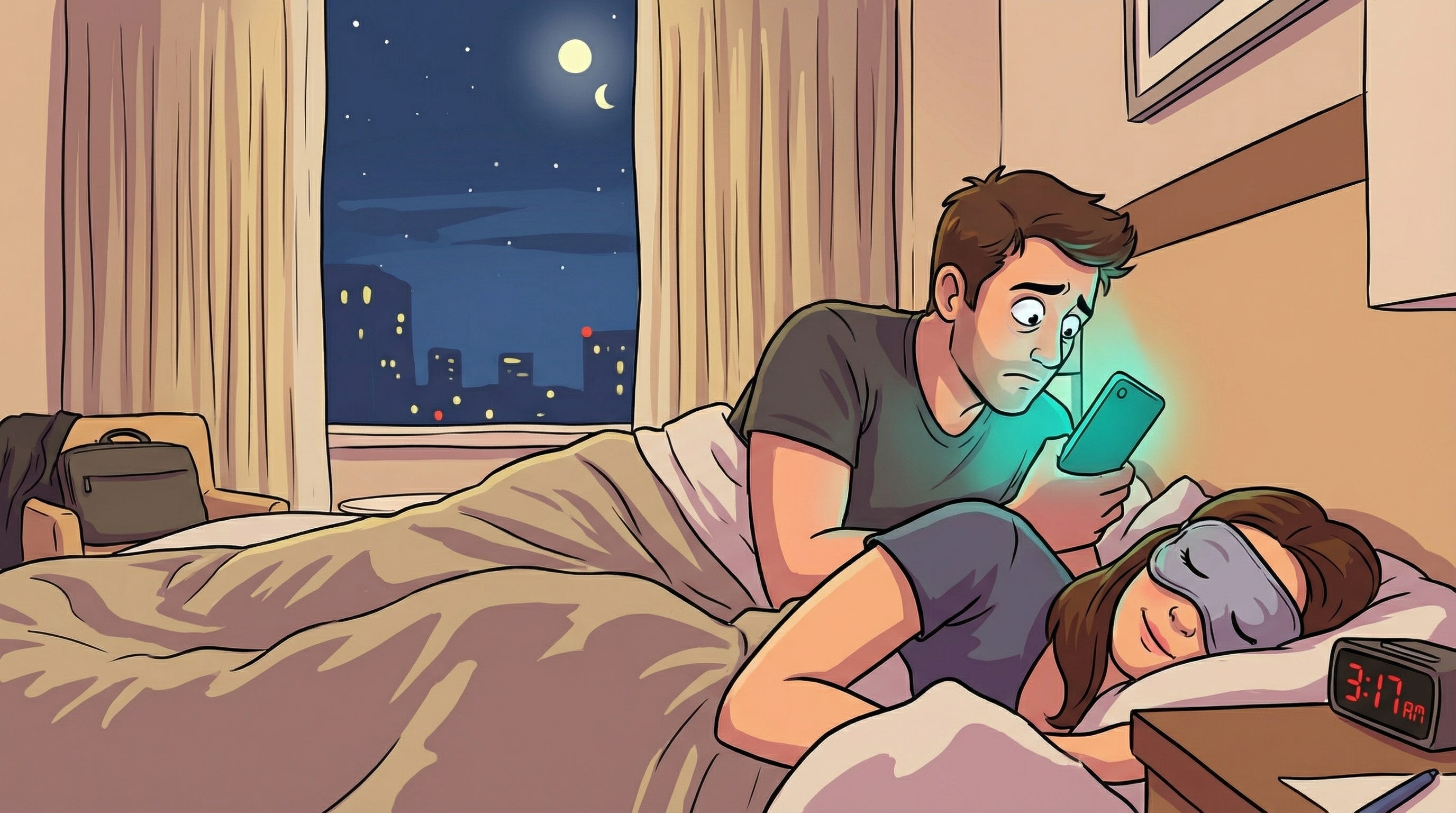
3 AM. Jetlag. Wife asleep beside me. Time to kill and an itch to scratch.
I wanted to build something.
Thanksgiving break had wrecked my body clock. Mind racing, too wired to sleep, but not about to get out of bed and risk waking those in our small hotel room. The kind of liminal hours that usually get wasted scrolling. But I had my phone. And I had an idea.
For the past few days, I’d been playing with Gemini 3 Pro Image, the model everyone’s calling “Nano Banana Pro” (Google’s internal codename that leaked and stuck). Like the rest of the world, I was impressed. I’d made images, built slide decks, explored what it could do with historical scenes and technical infographics. The photorealism was striking. The ability to render era-appropriate details across thousands of years of human history felt like a genuine step forward.
Meanwhile, Claude Code has become my daily driver for everything. I run my DGX supercomputer from my Mac with it. I orchestrate workflows. And yes, I still occasionally build actual software with it. (Old habits.) When Anthropic released Claude Code for mobile and web, I’d been curious but hadn’t really stress-tested it.
Lying there at 3 AM, the thought arrived: What if I brought these two together?
When Nano Banana Met Claude Code
Let me back up and explain the tools for those who haven’t used them.
Gemini 3 Pro Image (model ID: gemini-3-pro-image-preview) is Google’s latest image generation model. What makes it special isn’t just quality, it’s the ability to generate historically accurate, photorealistic scenes with remarkable attention to era-specific details. Ask it to render the construction of the Great Pyramid in 2560 BCE, and you get workers in period-appropriate clothing, tools that match the archaeological record, lighting that reflects the Giza plateau. Ask for the Moon landing, and you get the stark vacuum shadows, the ungainly beauty of the LEM, the bootprints in regolith.
Claude Code Mobile is Anthropic’s development environment, now available on phones and browsers. Not a chatbot that writes code snippets. An actual development environment where you can build, test, and deploy applications. I’d been using the desktop version extensively, but building something substantial from a phone? That felt like a real test.
The convergence seemed obvious once I thought about it. Gemini excels at generating historical imagery from detailed prompts. Claude Code excels at building applications. What if I built an app that turned coordinates (spatial and temporal) into rich historical scene prompts, then fed those to Gemini?
A time machine. Sort of.
“What If You Could Visit Any Moment in History?”
I started a brainstorming session with Claude, right there in bed, phone brightness dimmed to avoid disturbing my wife.
The concept emerged quickly: a 4D navigation interface. Not just latitude and longitude, but year, month, day, hour, minute. Punch in coordinates for the Sea of Tranquility on July 20, 1969, and see what Armstrong saw. Enter the Giza plateau in 2560 BCE, and watch the pyramids rise. Woodstock, August 1969. The signing of the Declaration of Independence. Magellan’s crew completing the first circumnavigation. The Moon landing?
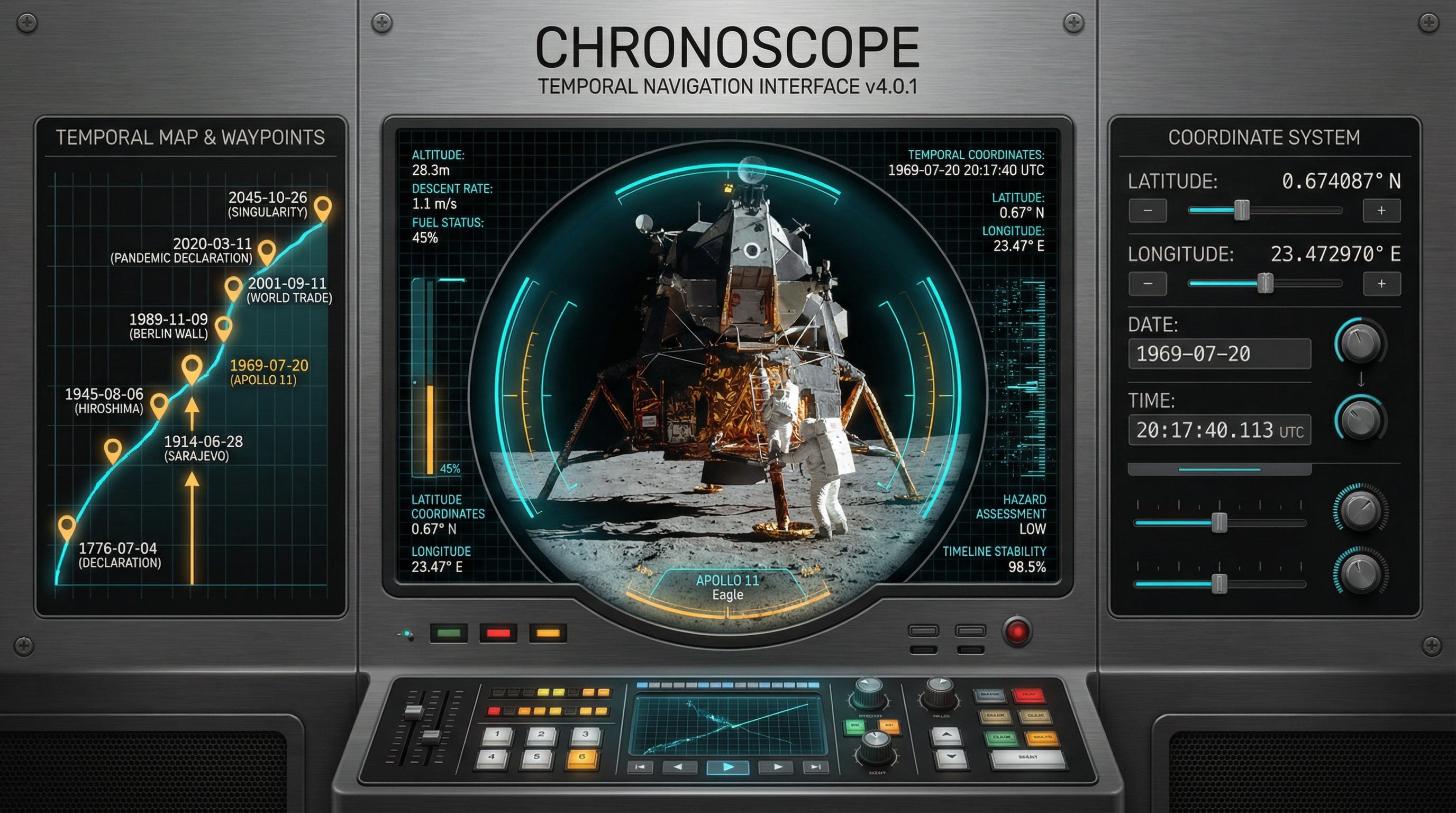
I called it The Chronoscope. A Temporal Rendering Engine.
The technical challenge was interesting: how do you turn bare coordinates into prompts rich enough to generate accurate historical imagery? You need to know what era those coordinates represent, what civilization existed there, what the weather might have been, what technology level to depict, what clothing and architecture to render.
Claude and I designed a scene generation system that infers all of this algorithmically:
11 historical eras from Stone Age (before 3000 BCE) through Space Age (2000 CE onward), plus a “Vacuum” era for extraterrestrial locations
Weather generation based on hemisphere, season, latitude, and time of day
Civilization mapping based on geographic region and historical period
Technology level indicators that inform visual details
Hazard assessment (because visiting certain coordinates at certain times would be... inadvisable)
The prompts that emerge are detailed and specific:
Generate a photorealistic historical scene from 1969 CE. Location: Sea of Tranquility, The Moon. Time of day: evening twilight with deep blue ambient light during summer. Weather: vacuum, temperature 127C. Historical era: Space Age period. Visual elements: futuristic architecture, advanced technology, space-age aesthetic. Atmosphere: complete absence of atmosphere, stark unfiltered sunlight, pure black sky. Style: cinematic quality, historically accurate, highly detailed, atmospheric lighting. Perspective: ground-level first-person view as if the viewer is standing there witnessing the moment.
Feed that to Nano Banana, and you get something remarkable.
No Laptop, No Desk, No Problem
Here’s where the constraint narrative comes in.
I built the first working version of The Chronoscope before I got out of bed that morning. No laptop. No external keyboard. No desk. Just a phone, Claude Code Mobile, and the determination to scratch the itch.
What emerged in those pre-coffee hours:
A full React 19 application with TypeScript throughout
Complex state management using Context and Reducer patterns
Gemini API integration with sophisticated prompt construction
A responsive UI that works on both desktop and mobile
8 curated waypoints for instant time-travel to historical moments
A sci-fi tactical interface aesthetic with hazard-level color coding
The UI deserves special mention. One of the persistent problems with AI-assisted development is what I call “vibe coded gibberish,” interfaces that technically work but look like they were designed by a committee of algorithms. Functional but soulless.
Claude Code now has specialized skills you can invoke for different tasks. The frontend-developer skill brings focused expertise on UI/UX, component architecture, and visual design. I used it throughout the build, and the difference shows. The Chronoscope doesn’t look like a hackathon project. It looks like something a design team spent weeks refining. Dark theme with custom color tokens. Glowing accents that shift based on hazard level. Monospace typography throughout. Animated grid overlays and scan lines. A vignette effect that makes the viewport feel like you’re peering through actual optics.
All of this, from a phone, in bed, before coffee.
The Chronoscope: A Temporal Rendering Engine
Let me show you what it actually does.
The Control Plane lets you input coordinates across four dimensions:
Latitude (-90 to +90 degrees)
Longitude (-180 to +180 degrees)
Date (year, month, day, supporting negative years for BCE dates back to 10,000 BCE)
Time (hour, minute)
The Viewport displays generated imagery with a HUD overlay showing:
Current coordinates and era classification
Environmental conditions (weather, temperature, atmosphere)
Civilization and technology indicators
Safety/hazard assessment
The Data Stream provides real-time telemetry about the scene: anthropological context, environmental factors, and a hazard rating from “LOW” (green) to “CRITICAL” (red).
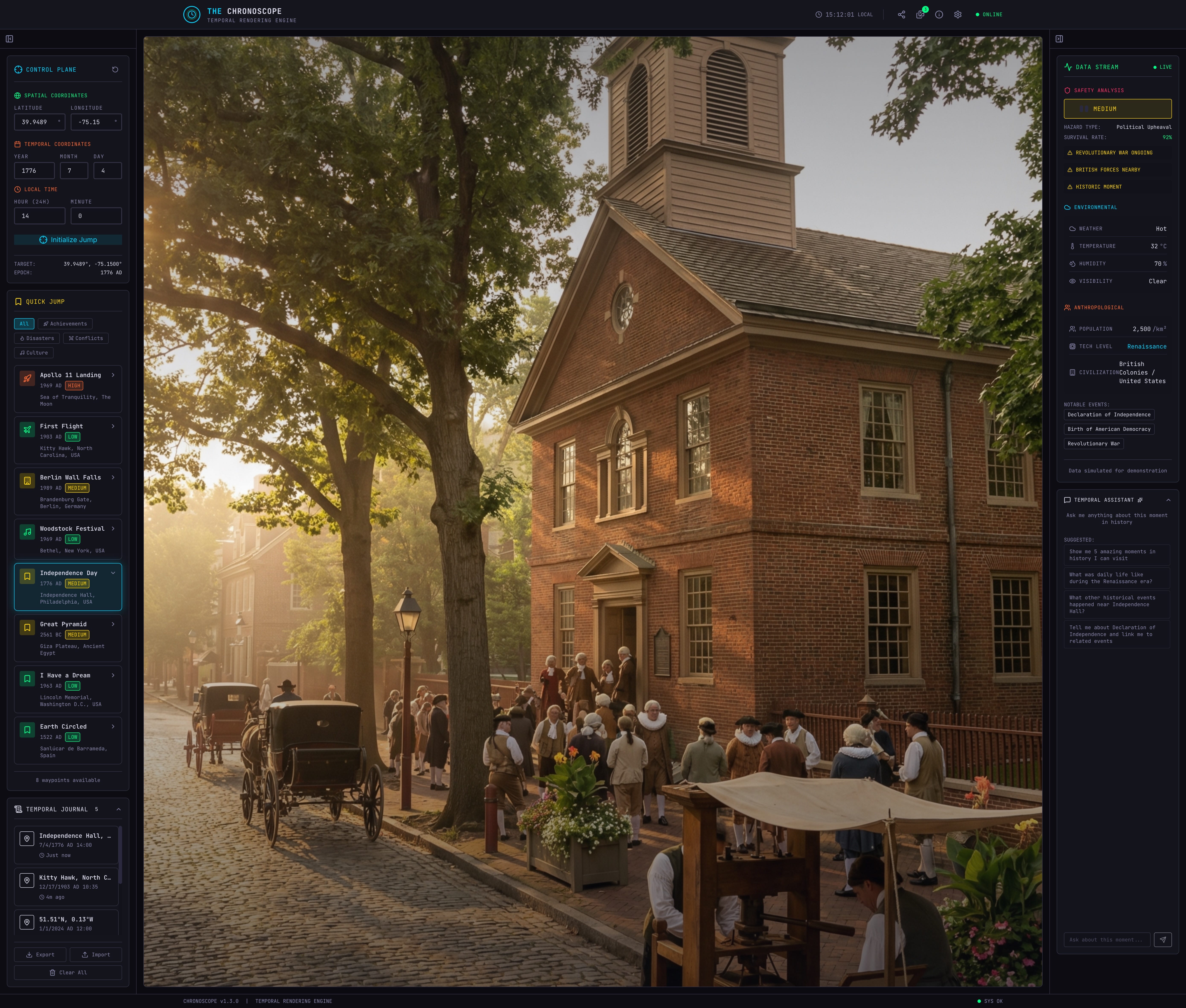
Waypoints offer one-click access to 8 curated historical moments:
Apollo 11 Landing (July 20, 1969) - Sea of Tranquility, The Moon
First Flight (December 17, 1903) - Kitty Hawk, North Carolina
Berlin Wall Falls (November 9, 1989) - Brandenburg Gate, Berlin
Woodstock Festival (August 16, 1969) - Bethel, New York
Independence Day (July 4, 1776) - Independence Hall, Philadelphia
Great Pyramid Construction (2560 BCE) - Giza Plateau, Egypt
I Have a Dream Speech (August 28, 1963) - Lincoln Memorial, Washington D.C.
First Circumnavigation (September 6, 1522) - Sanlúcar de Barrameda, Spain
The app also includes a Temporal Journal that tracks everywhere you’ve “visited,” an Image Gallery that stores generated scenes locally using IndexedDB, and shareable URLs that let you send specific coordinates to anyone.
The Journey, Rarely the Destination
Here’s the honest reflection: The Chronoscope could have been anything.
A different idea at 3 AM would have produced a different app. Maybe an AI-powered recipe generator. Maybe a tool for exploring hypothetical planetary surfaces. Maybe something entirely impractical and wonderful. The specific output matters less than the process that produced it.
Will people use The Chronoscope? Maybe. It’s genuinely fun to explore historical moments through AI-generated imagery. The waypoints offer quick satisfaction. The coordinate system rewards curiosity. I’ve found myself wondering what specific locations looked like at specific moments, then actually being able to see an approximation.
But that’s not really the point.
The point is that in under 3 hours, most of it before coffee, I went from “I want to build something” to a polished, functional application. From a phone. In bed. Without waking my wife.
What’s changed:
Gemini 3 Pro Image makes visual generation accessible and impressive. Not just “AI art” but contextually aware, historically grounded imagery that responds to detailed prompts.
Claude Code Mobile makes real development possible anywhere. Not toy apps or simple scripts. Full applications with state management, API integration, persistent storage, and responsive design.
The frontend-developer skill (and others like it) mean good design without being a designer. The gap between “works” and “works beautifully” has narrowed dramatically.
The distance between idea and execution has collapsed. The 3 AM itch can be scratched before sunrise.
The maker’s curse, satisfied. The jetlag hours became productive hours. Something exists that didn’t exist before breakfast. The compulsion to create found its outlet.
It could have been anything. It happened to be a time machine.
Try It Yourself
Live Application: chronoscope-amber.vercel.app
GitHub Repository: github.com/BioInfo/chronoscope
Stack: React 19, TypeScript 5.9, Vite 7, Tailwind CSS 4, Gemini 3 Pro Image
The tools are available to everyone. Claude Code works on mobile and web now. Gemini 3 Pro Image is in preview. The same setup that let me build a time machine before coffee is waiting for you.
What will you build at 3 AM?
Technical Appendix
For those who want the implementation details:
Scene Generation Algorithm:
Coordinates are processed through era classification (11 periods based on year)
Geographic region determines civilization mapping
Hemisphere, season, and time of day generate weather conditions
All factors combine into structured prompt with style instructions
Gemini API Configuration:
generationConfig: {
  responseModalities: [’IMAGE’],
  imageConfig: {
    aspectRatio: ‘9:16’,
    imageSize: ‘2K’,
  },
}
Prompt Structure:
Historical era context
Location and coordinates
Time of day and lighting
Weather and atmosphere
Civilization and technology level
Era-specific visual details
Style instructions (cinematic, historically accurate)
Perspective (ground-level first-person)
Negative prompts (no text, no watermarks, no anachronisms)
State Management:
React Context for global state
Reducer pattern for predictable updates
Typed actions for all state changes
IndexedDB for persistent image storage
The full source is MIT licensed and available on GitHub. Fork it, improve it, build your own temporal engine.
Built with Claude Code Mobile and Gemini 3 Pro Image. Fueled by jetlag and the maker’s curse.